


















Turn on DKIM in Google Workspace
DKIM is a signature on your email that proves a message really came from you. Google Workspace makes the key. You put it where your DNS lives, then tell Google to start signing.
Requirements
| You need | Notes |
|---|---|
| Google Workspace super administrator | The person who set up Workspace usually is one. |
| DNS access | The sign-in for the company that runs your DNS. This example uses Cloudflare. |
| Gmail on for 24 to 72 hours | A brand-new Workspace has to wait before the key can be made. |
| About 10 minutes | Plus up to 48 hours for it to start working. |
Steps
-
Open Authenticate email in the Google Admin console and sign in. In Selected domain, pick your domain. Select Generate New Record.
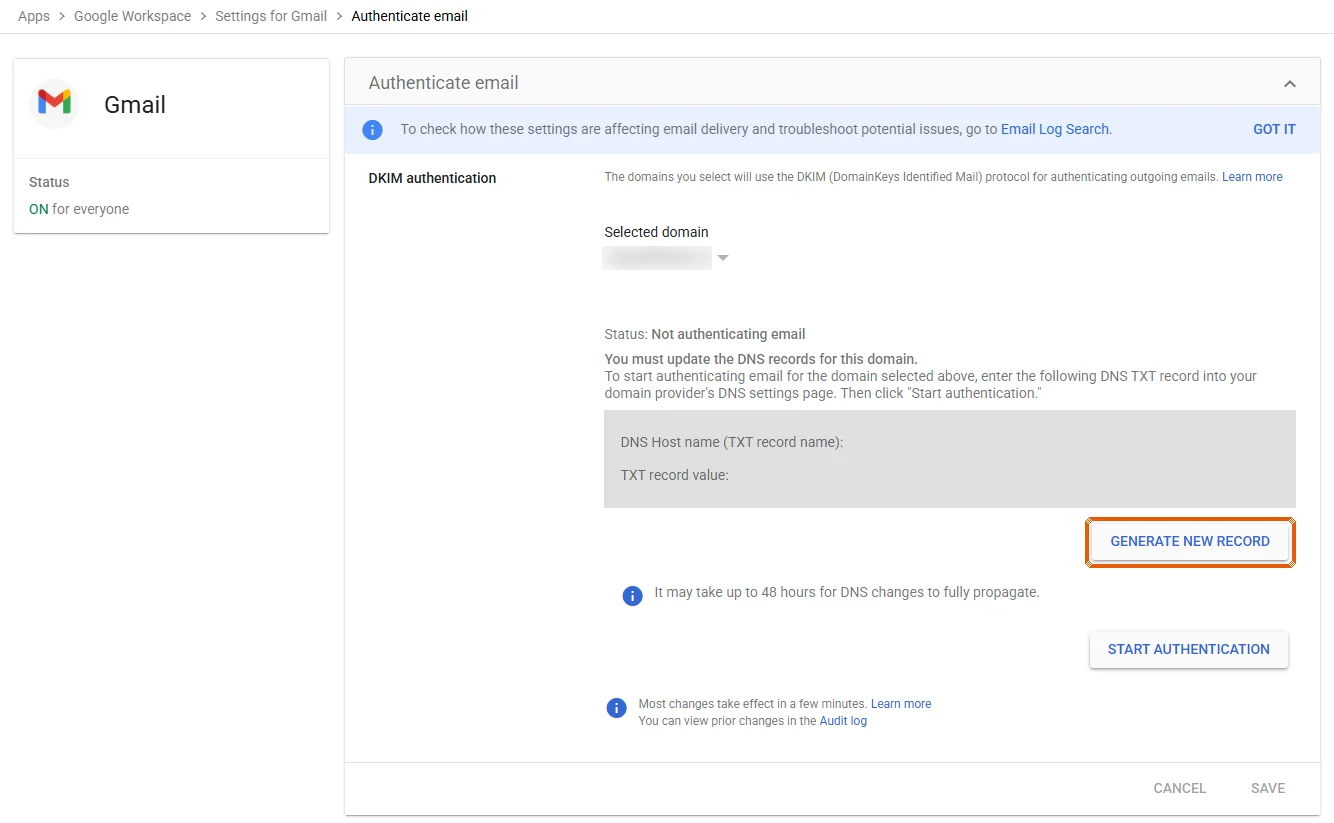
Picture: WILDCARD's own Google Admin console, domain and key blurred -
Keep 2048 for the key bit length and
googlefor the prefix selector. Select Generate.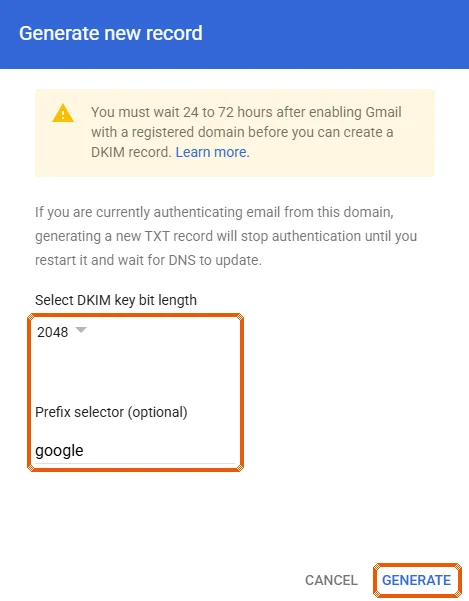
Picture: WILDCARD's own Google Admin console, domain and key blurred -
Google shows two values. Copy the DNS Host name (it reads
google._domainkey) and the TXT record value (it startsv=DKIM1;). Copy all of it. Do not select Start authentication yet.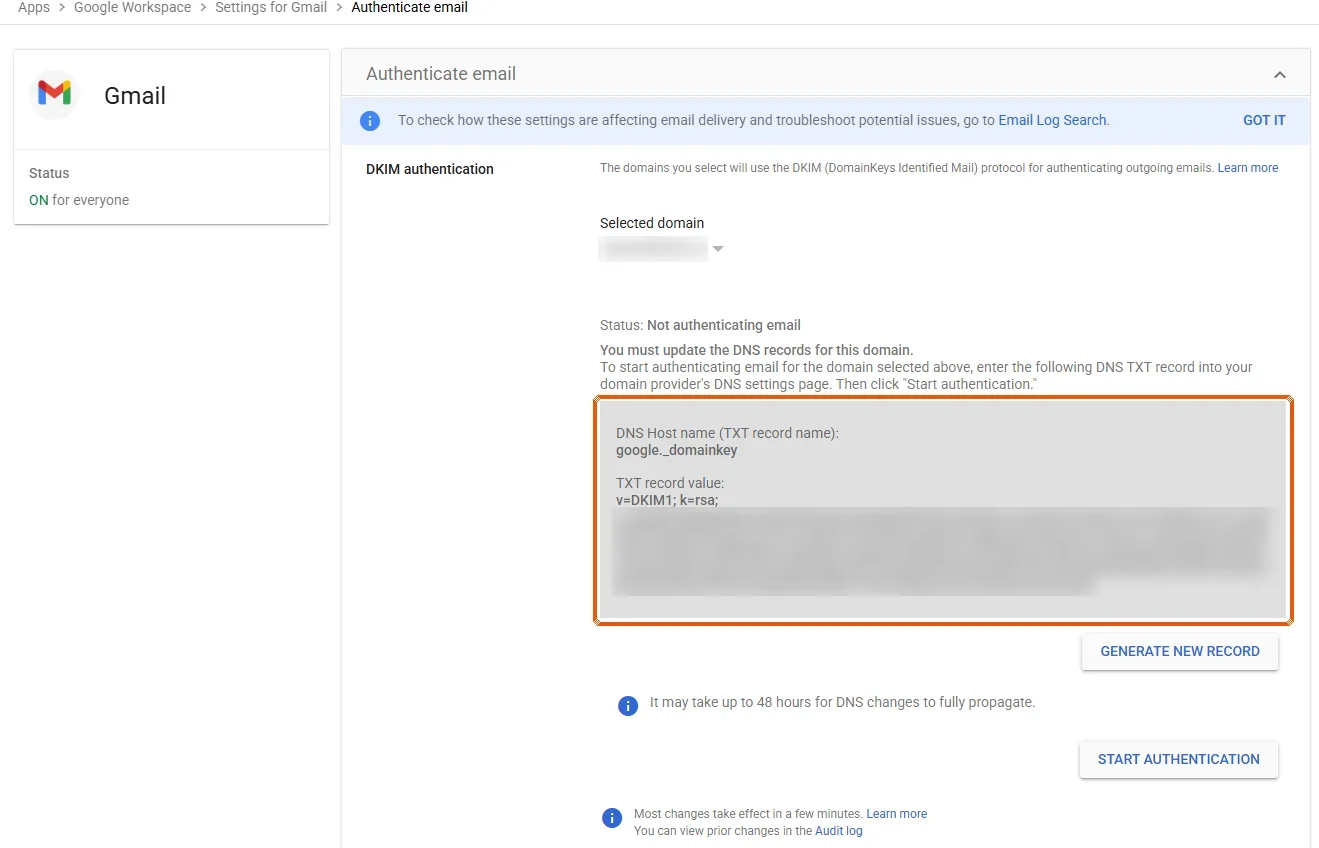
Picture: WILDCARD's own Google Admin console, domain and key blurred Stuck here? Send it to us. This is where most people get stuck, and it is our job. Email the two values, or a screenshot, to help@teamwildcard.ca. They are public, not secret. We publish the record and tell you when to do step 5.
Rather talk it through? Call +1 888 274 3530 or book a call.
-
Open the DNS records page for your domain. In Cloudflare: select DNS records, then Add record. Set Type to TXT, Name to
google._domainkey, and paste the value into Content. Select Save. -
Go back to Authenticate email, pick your domain, and select Start authentication. The status should change to Authenticating email with DKIM.
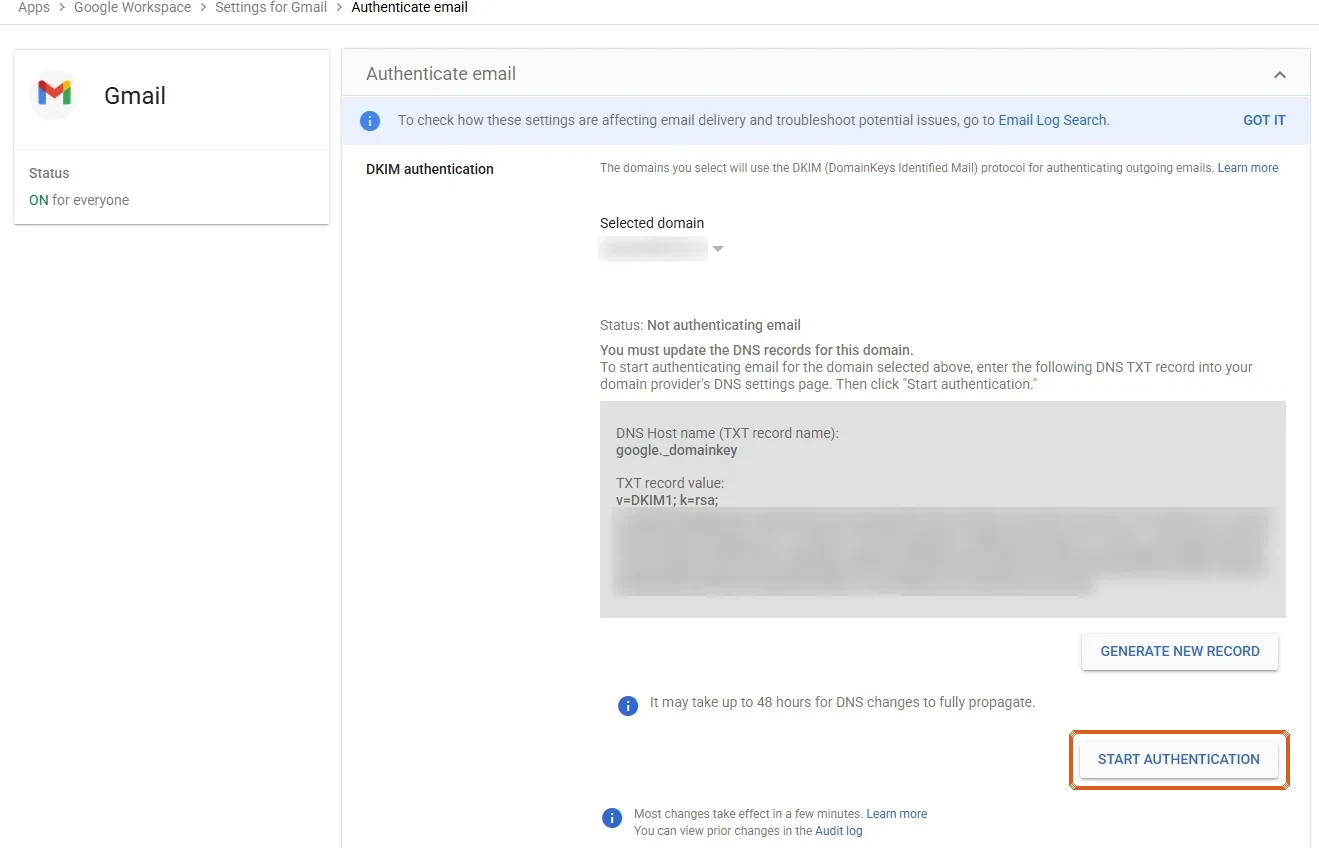
Picture: WILDCARD's own Google Admin console, domain and key blurred
If Google says “Email authentication was not verified”, the record has not reached Google yet. Check the name and value in your DNS, wait up to 48 hours, and select Start authentication again.
Check it worked
Send an email to someone on a different Gmail or Google Workspace account (emailing yourself does not count). In their Gmail, open the message, select More, then Show original. DKIM should read PASS.
Or run your free scan at teamwildcard.ca. DKIM should show Pass.
Related
- SPF, DKIM and DMARC, done yourself, the whole set of three records
- Give us access at Cloudflare
- Google’s own steps
- Other email hosts: DreamHost, Zoho Mail, Bluehost