


















Transfer your domain to Cloudflare
Your DNS is on Cloudflare and the domain shows Protected. Moving the registration too is optional. It moves the yearly bill from your current registrar to Cloudflare, which charges only what the registry charges. The steps below use GoDaddy as the example, because that is where most of our clients’ domains are.
Cost: Cloudflare charges the transfer to your card. It adds a year to the domain.
Before you start
Cloudflare will refuse the transfer unless all of these are true:
- The domain is Protected in your portal. Cloudflare only takes a domain whose DNS is already there and active.
- Your Cloudflare account has a verified email address and a card on file.
- The domain was registered more than 60 days ago, has not been transferred in the last 60 days, and its owner name, organization or email has not changed in the last 60 days.
- The domain has not expired. If it has, renew it at your current registrar first.
- Your current registrar lets you change nameservers. Shopify, Wix and similar site builders often do not, and Cloudflare’s page describes a two-hop workaround for those.
Active work is about 30 minutes. The whole thing can take up to 10 days, depending on your registrar.
Steps
-
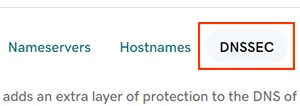
At GoDaddy, turn off DNSSEC. In your portal, select Move the registration too, then Open GoDaddy. On the domain's settings page select DNS, then DNSSEC. If it is on, select Turn Off DNSSEC, then Remove. If it was already off from the DNS move, nothing to do here. Cloudflare asks for a day's wait after turning it off.
Picture: GoDaddy Help -
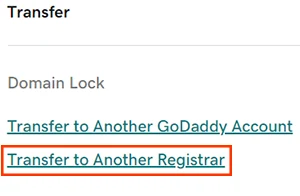
At GoDaddy, turn off the transfer lock and copy the transfer code. On the same settings page, under Transfer, select Transfer to Another Registrar. Read the checklist, then select Continue with transfer. GoDaddy unlocks the domain and turns off Domain Privacy for the move. Enter the verification code if asked. Select Click here to see Authorization Code, then Copy to Clipboard. GoDaddy also emails the code to the domain's owner address.
Picture: GoDaddy Help -
Paste the code in Cloudflare to start the transfer. In your portal select Open Cloudflare, which opens Cloudflare's Transfer domains page. Select your domain, paste the code, and add a card if Cloudflare asks for one. Check the owner contact details, then select Confirm transfer. Cloudflare hides these details from public lookups by default.
-
Approve the email from GoDaddy. GoDaddy emails you to confirm the transfer. Approve it there and the move finishes sooner. Left alone, most registrars release the domain within five business days.
What happens next
- Cloudflare’s Transfer domains page shows Transfer in progress, then Pending approval, then done. If it sits at in progress for more than a day, check the lock at GoDaddy is really off.
- .ca domains: after the transfer completes you may get a separate email asking you to verify the owner’s contact details. Do it. Skipping it can get the domain suspended.
- From then on the domain renews at Cloudflare at the registry’s list price, with auto-renew on. GoDaddy stops billing for it.
- Your portal’s registration line reads Cloudflare and there is nothing left to do.
Related
- Move your DNS to Cloudflare, the step before this
- Why Cloudflare
- Give us access at GoDaddy, if you would rather we did this
- Domain Security, the card this is for