


















Give us access at Cloudflare
You stay the owner of your Cloudflare account. We get the Administrator role, which can manage your domains and settings, including DNS. It can’t manage members or your billing profile, and you can remove us at any time.
Invite this address:
[email protected]
Before you start
- The sign-in for the Cloudflare account that holds your domain.
- About two minutes.
Steps
-
Open your Cloudflare Members page and sign in if Cloudflare asks. Select Invite members.

Picture: Cloudflare dashboard -
Under Add email addresses, enter
[email protected]. Under Overall roles, switch on Administrator.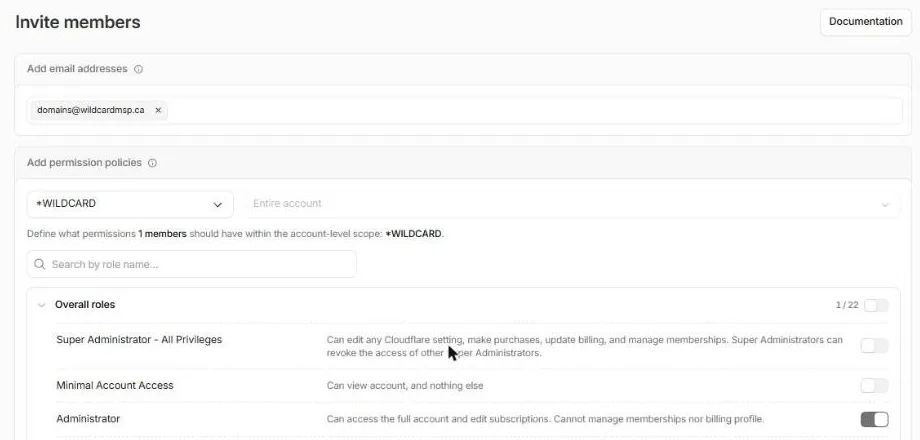
Picture: Cloudflare dashboard -
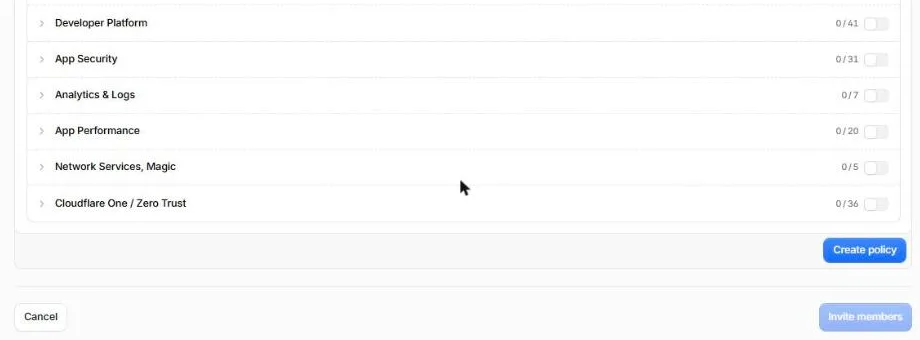
Scroll down and select Create policy.
Picture: Cloudflare dashboard -
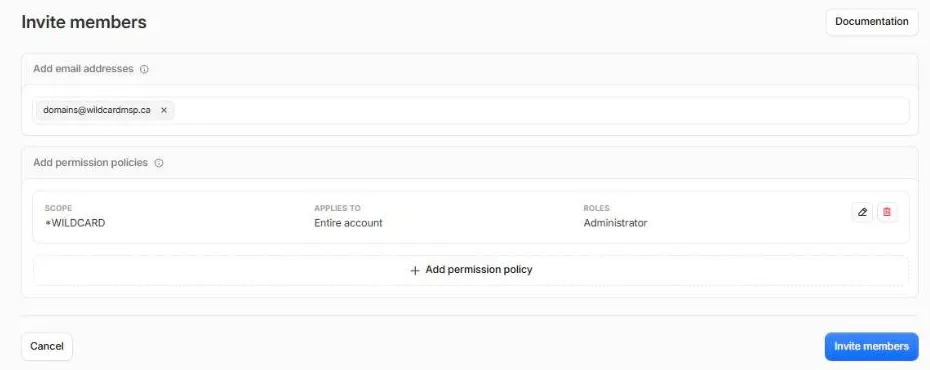
Check that the policy says Entire account and Administrator, then select Invite members. Cloudflare emails the invite to us.
Picture: Cloudflare dashboard
What happens next
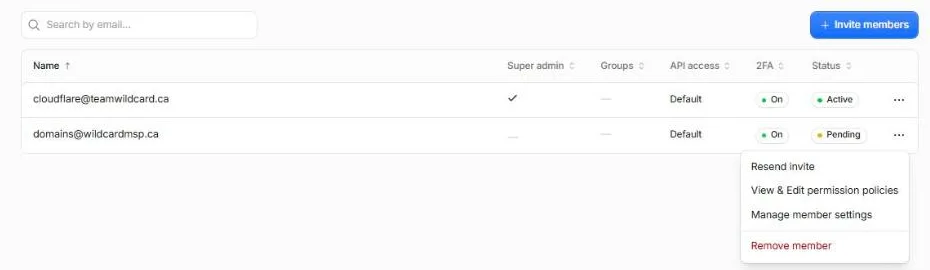
- We accept the invite. Until then it shows as Pending in your Members list.
- In your WILDCARD portal, select I’ve sent the invite so we know to look for it.

Change or remove our access
On the Members page, select the ⋯ menu next to [email protected], then Remove member. To change the role instead, select View & Edit permission policies. You can do either any time.
Related
- Give us access to your domain, for every other provider
- Move your DNS to Cloudflare
- Domain Security, the card this access is for