


















Set up your billing profile at Cloudflare
Cloudflare charges domain registrations, transfers and renewals to the card on your account, at the registry’s price with no markup. Set up the billing profile once, and we can move and renew your domains there without asking you for a card each time.
Requirements
| You need | Notes |
|---|---|
| Access to your Cloudflare account | Your own sign-in. If we set the account up for you, we invite you as a Super Administrator so you own it. |
| A credit card | Charged only for what you or we buy in the account, such as a domain renewal. |
| About 3 minutes |
Steps
-
If we invited you, accept the invite. Open the invitation email from Cloudflare and accept it. If you don't have a Cloudflare sign-in yet, Cloudflare asks you to create one with the same email address.
-
Open your billing page. Go to your Cloudflare Billing page, or select Manage account, then Billing in the left menu. Scroll down to Payment method and select Add.

Picture: Cloudflare dashboard -
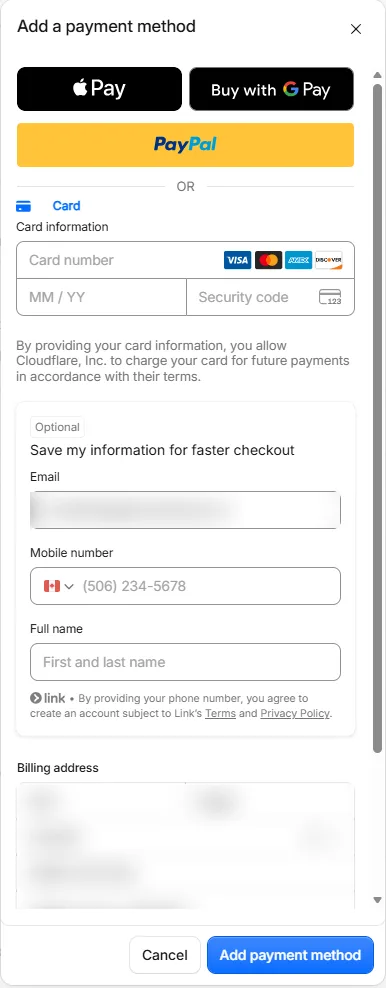
Enter your card. Under Card information, enter the card number, expiry and security code, then check the Billing address. You can leave the optional Save my information for faster checkout box empty; it signs you up for a separate checkout service you don't need here. Select Add payment method.
Picture: Cloudflare dashboard -
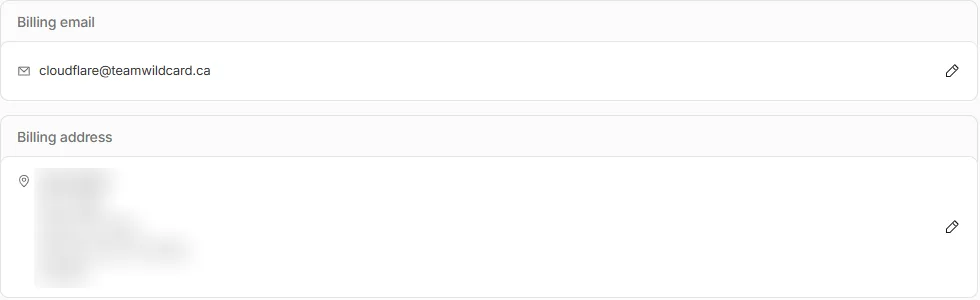
Check your billing email and address. Receipts and renewal notices go to the Billing email. To change either, select the pencil next to it.
Picture: Cloudflare dashboard -
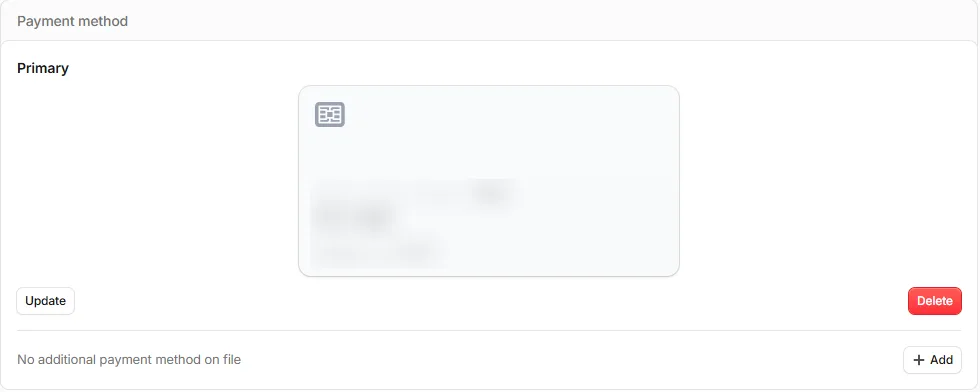
Confirm the card shows as Primary. Under Payment method, your card now appears as Primary. That's it.
Picture: Cloudflare dashboard
What happens next
- Let us know the card is on file.
- We start the transfer or renewal. Cloudflare emails a receipt to your billing email for each charge.
- Domains in the account renew automatically on this card each year, so they don’t lapse.
Related
- Transfer your domain to Cloudflare, which needs this first
- Give us access at Cloudflare
- Why Cloudflare